01
Fast AI Processing
Generate AI virtual try-on images in around 10 seconds with an optimized rendering pipeline designed for fast, seamless shopping experiences.
~10s typical render
Give shoppers a more interactive way to discover fashion with the Mirrago AI Virtual Try-On API.
Our REST API and SDKs make it easy to integrate realistic virtual try-on into your e-commerce store, mobile app, marketplace, or custom fashion platform without building the AI infrastructure from scratch.
Build your experience. We power the virtual try-on.
Talk to an Expert
Mirrago understands 100+ apparel and accessory categories, backed by a reference catalog of 70,000+ products and 16,000+ real virtual try-ons generated in the last 60 days.
So when customers try something on, the AI understands what they’re wearing, helping every result stay true to the actual product.


Developer experience
Integrate AI virtual try-on in days, not months. One API call handles body detection and garment mapping, then delivers a photorealistic result in around 10 seconds.
# 1. Start a try-on job
curl -X POST https://api.mirrago.com/v1/mirrago/generate-image \
  -H "Authorization: Bearer $MIRRAGO_TOKEN" \
  -F "target_image_url=https://cdn.yourbrand.com/shopper.jpg" \
  -F "garment_image_url=https://cdn.yourbrand.com/blazer.png" \
  -F "callback_url=https://yourapp.com/webhooks/mirrago"

# 2. Poll the job, or let the webhook tell you
curl https://api.mirrago.com/v1/mirrago/job/$JOB_ID \
-H "Authorization: Bearer $MIRRAGO_TOKEN"job → "status": "completed", "result_url": "https://…"
Access tokens come from POST /oauth/token with your client credentials.
A powerful AI virtual try-on API built for real-world e-commerce applications from the first request to high-volume production traffic.
Generate AI virtual try-on images in around 10 seconds with an optimized rendering pipeline designed for fast, seamless shopping experiences.
~10s typical renderProtect customer and business data with encryption in transit and at rest, along with support for data access and deletion requests.
Encrypted in transit + at restIntegrate virtual try-on into your website, app, or marketplace using REST APIs and SDKs for JavaScript, Python, and mobile platforms.
JS · Python · iOS · AndroidTrack virtual try-on usage, engagement, and conversion-related activity through analytics designed to help you understand how shoppers interact with the experience.
Usage · engagement · activityBuilt to handle growing demand and high-volume virtual try-on requests, with infrastructure designed to scale as your business grows.
Built for high volumeMirrago understands your product categories and catalog, helping the AI render the specific garment being tried on instead of replacing it with a generic version.
100+ categoriesHow it works
Integrate Mirrago into your platform in four simple steps. From sending a product image to receiving a realistic AI virtual try-on result.
Send your product image and catalog details through the API so Mirrago understands exactly what your customer is trying on.
garment_image_urlLet shoppers upload or capture their photo directly through your website or app. You control the entire experience.
target_image_urlMirrago AI handles body detection, garment mapping, and image generation in a single processing flow.
status: processingGet the completed virtual try-on image through a webhook or polling, typically within around 10 seconds.
result_urlAn end-to-end virtual try-on infrastructure designed for speed, reliability, and seamless delivery. From your frontend to the final AI-generated image.
Your website or app connects to Mirrago through our SDKs and virtual try-on tools.
A secure gateway manages authentication, rate limits, and API requests for reliable communication between your platform and Mirrago.
Our AI engine handles the core of the virtual try-on process, including body mapping and neural image rendering.
Your completed virtual try-on results are delivered efficiently through global content networks and webhooks.
Start free with no credit card required. Upgrade only when your try-on volume grows.
For teams exploring the API
10 try-ons / month
For DTC brands doing $1M–$5M in revenue
500 try-ons / month
For DTC brands doing $5M–$20M in revenue
2,000 try-ons / month
For brands doing $20M+ in revenue
5,000+ try-ons / month
Client onboarding
A straightforward onboarding process to get your AI virtual try-on API up and running with everything we need and nothing more.
01
Share your official company or brand name for your account, documentation, and billing.
02
Provide a technical contact who can work with our team during the API integration.
03
Tell us your expected monthly virtual try-on volume so we can prepare the right capacity for your launch.
04
Provide the production domain where your virtual try-on experience will be deployed.
05
Launch your integration with clear business goals and success metrics, whether you're focused on engagement, conversions, or a better shopping experience.
See how the Mirrago Virtual Try-On API can enhance shopping experiences across the fashion industry.
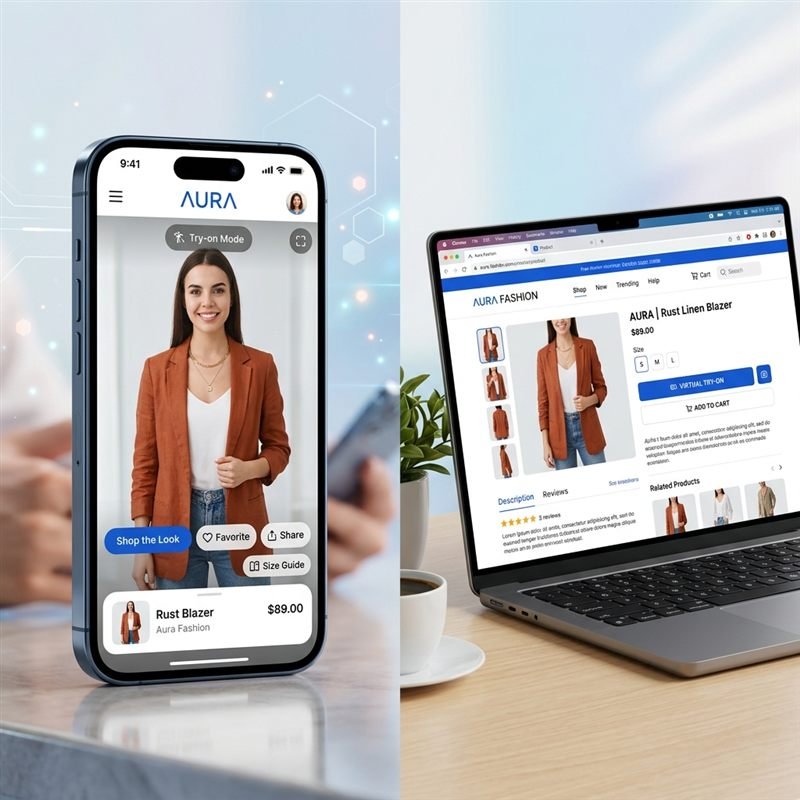
Help shoppers visualize products before they buy and create a more confident path to purchase.

Add a branded virtual try-on experience that fits naturally into your website or app—not a generic third-party widget.

Bring virtual try-on to large product catalogs and let shoppers explore more products without manually building a try-on experience for every item.
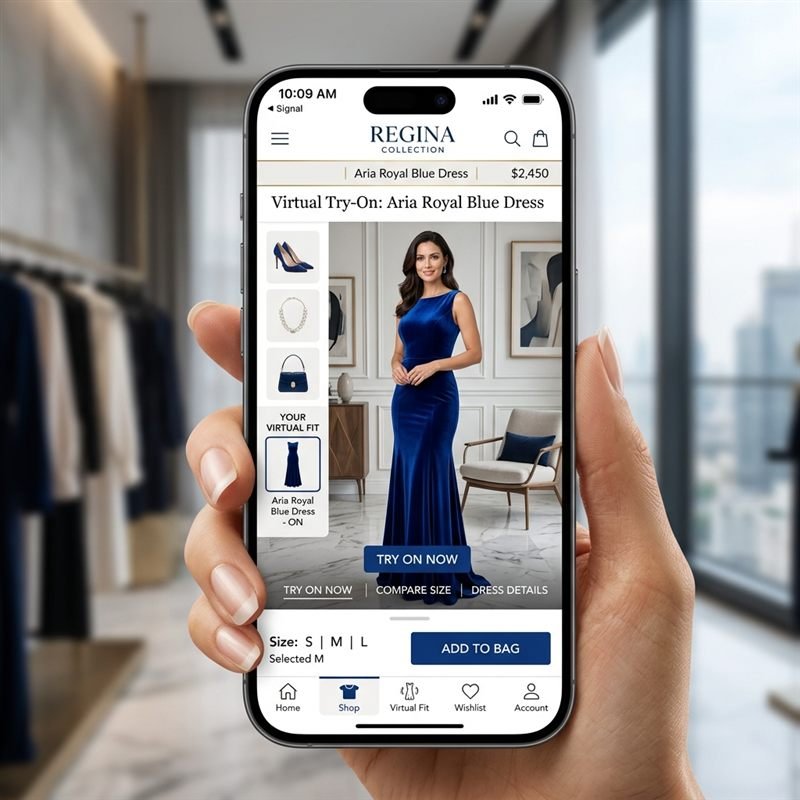
Create interactive virtual try-on experiences and campaigns that encourage shoppers to engage with your products more memorably.
What developers and product teams ask before integrating the Mirrago API.
Still have questions?
Talk it through with our team in a 30-minute call.
Still have questions?
Talk it through with our team in a 30-minute call.
// ready when you are
Start free, read the docs, or talk it through with our team.