The Hidden Reason Most WooCommerce Stores Fail to Convert
You've done everything right. You've optimized your product pages, invested in traffic, and built a clean checkout experience. But your WooCommerce plugin conversion rate still isn't where it should be, and you're not sure why.
Here's the truth most store owners overlook:
Installing a plugin is not a strategy. Optimization is.
Traffic without conversion is expensive noise. You can double your ad spend and still lose to a competitor converting better on half the visitors.
Customers do not give up solely because of the price. They go away due to indecision on compatibility, outlook, and whether it is worth the risk.
By 2026, the difference between shops that convert and those that don't is reduced to the extent to which you reduce that uncertainty.
This guide provides a real step-by-step guide to optimizing Mirrago once it is installed on your product page, so that it not only looks better but also actually drives sales.
Why WooCommerce Conversion Rate Optimization Matters More Than Ever
The WooCommerce conversion rate is the percentage of visitors in your store who make a purchase. Knowing it is the basis of all the growth decisions you make.
Here's what the numbers look like across the industry:
Mean eCommerce conversion rate: 1%- 4%
Best-selling stores: 5% -8% in target categories.
The difference between mediocre and outstanding? Frequently, it only takes a handful of well-placed optimizations.
The core problem most stores face:
High traffic, low sales because visitors aren't converting
The shoppers window shop, hesitate, and walk out without making a purchase.
The product is correct, but the experience fails to seal the deal.
What interactive experiences like virtual try-on actually solve:
They replace guesswork with visual certainty
They shorten the time between consideration and purchase
They reduce the #1 reason people don't buy: "I'm not sure how it'll look on me.
As soon as you pre-position that gap, when a shopper sees himself in what you offer, fashion or otherwise, before he buys, you know hesitation is leading to confidence, and conversions are going to follow.
Understanding Mirrago's Role in Conversion Optimization
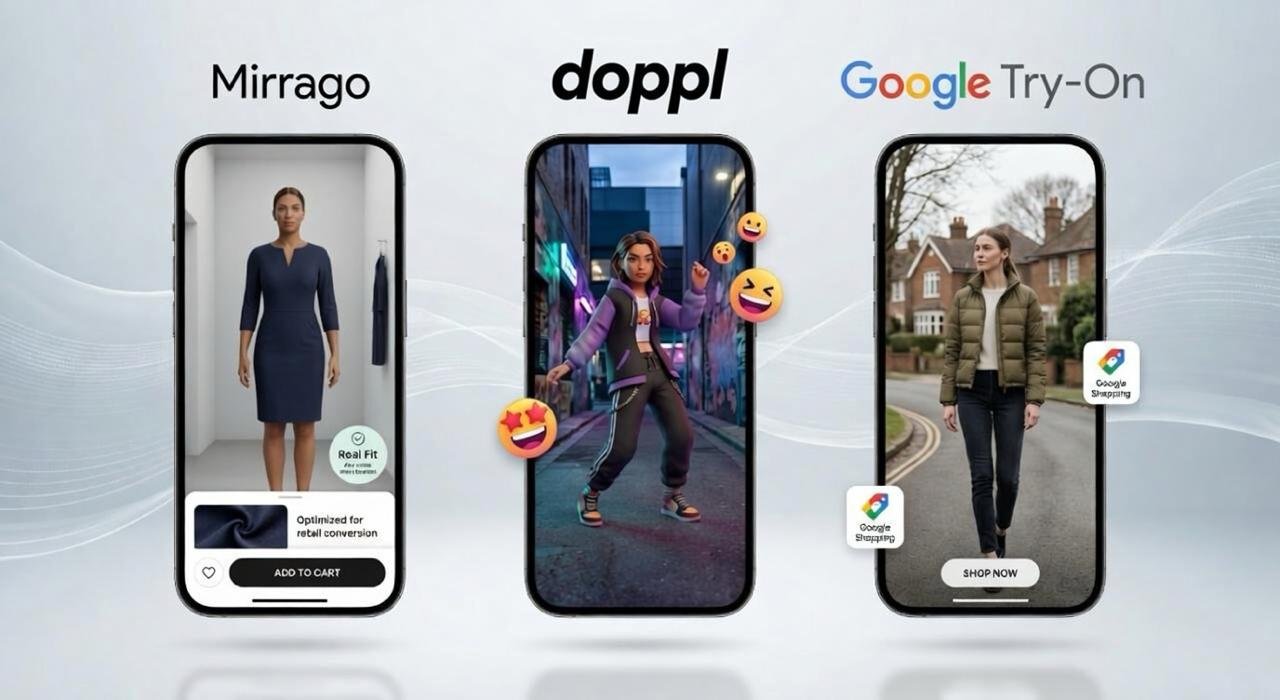
Mirrago is an AI-powered virtual try-on WordPress plugin built natively for WooCommerce. It lets shoppers visualize products on themselves directly from your product page in real time, without leaving your store.
But Mirrago isn't just a feature. It's a conversion lever. Here's why it works psychologically:
Confidence
Shoppers see exactly how a product looks on them
Visual certainty replaces the doubt that causes abandonment
Confident shoppers buy and buy faster
Personalization
The experience feels tailored, not generic
Customers feel seen and understood by your brand
Personalized experiences drive both conversion and loyalty
Reduced Return Anxiety
When shoppers know what they're getting, returns drop significantly
Lower returns mean lower costs and higher net revenue per order
Customers who return less, trust more, and come back again
Mirrago doesn't just add interactivity to your product pages. It closes the psychological gap between browsing and buying.
Step-by-Step: How to Optimize Mirrago for Maximum Conversions
1. Strategic Placement - Show the Try-On Where It Counts
The greatest attribute of your store is of no use when shoppers do not notice it. The first and most important optimization that you can do is placement.
Best placement locations:
Directly adjacent to the primary product image
Beside or just below the Add to Cart button
Above the fold is visible without scrolling
What to avoid:
Hiding try-on inside tabs or accordions
Placing it below product descriptions or reviews
Treating it as a secondary feature instead of a primary CTA
Desktop vs. Mobile positioning:
Desktop: Place within the product detail panel, aligned with the image gallery
Mobile: Thumb-accessible, center-screen, no competing elements nearby
Pro Tip: Run a scroll-depth heatmap on your product pages. If most visitors never scroll past the product image, your try-on CTA needs to be in that zone or it's invisible to most of your traffic.
2. Optimize Product Pages for Try-On Engagement
The strength of the try-on experience is not as great as the surrounding product presentation. Prior to all other factors, you ought to ensure that your product pages are up to date.
Visual quality matters:
The images to be used should be of high quality and display texture, fit, and detail well.
Include multiple angles where possible
Keep away the extremely filtered and over-stylized pictures that distort the product.
Copy that supports conversion:
Keep product descriptions concise and benefit-led
Lead with what the product does for the customer, not just what it is
Add messaging near the try-on feature, such as:
Try it on before you buy - no guessing required.
See how it looks on you in seconds.
Try Before You Buy: zero risk, full confidence.
Trust signals to include near your try-on:
Verified customer review count
Easy returns or satisfaction guarantee badge
Secure checkout indicator
Delivery time estimate
These aren't decorative; they directly reduce the final hesitation before a shopper clicks Add to Cart.
3. CTA Optimization: Turn Interaction Into Purchase
The words on your try-on button matter more than most store owners realize. Generic labels don't create urgency. The right CTA creates a pull toward action.
Weak CTAs to avoid:
Virtual Try-On
Try On
View on Model
High-converting CTA alternatives:
Try It On Now urgency + immediate action
See It On You personal + visual + curiosity-driven
Check Your Look Instantly speed + confidence + zero friction
Where to place your CTA for maximum impact:
Adjacent to the product image gallery
Directly near the Add to Cart button
As a sticky element on mobile for scroll-proof visibility
Button design best practices:
Use a contrasting color that stands out without clashing with your brand palette
Keep the button large enough to tap easily on mobile
Add a subtle hover effect on desktop to signal interactivity
Consider adding a small icon (camera or mirror) to reinforce the visual nature of the action
4. A/B Testing: Stop Guessing, Start Knowing
Every store and every audience is different. What works for a competitor may underperform for you. A/B testing is how you stop assuming and start making data-driven decisions.
What to test with Mirrago:
CTA button text variations
Button placement (above vs. below product image)
Try-on panel visible by default vs. collapsed
Button color and size
Supporting copy near the try-on feature
Metrics to track during each test:
Click-through rate (CTR) on the try-on button
Add-to-cart rate from pages where try-on is active
Overall conversion rate across the test period
Time on page as an engagement indicator
Rules for effective A/B testing:
Test one variable at a time; changing multiple things at once makes the results unreadable
Run each test for a minimum of two weeks
Ensure enough traffic volume for statistical significance
Document every result — even "failed" tests reveal what your audience responds to
Small changes in copy or placement regularly produce 10–20% shifts in engagement. And engagement is what precedes revenue.
5. Mobile Optimization: Non-Negotiable in 2026
Over 70% of e-commerce traffic now originates on mobile devices. If your Mirrago integration isn't built for mobile-first, you're optimizing for a minority of your shoppers.
Mobile performance checklist:
Try-on feature loads in under 2 seconds on mobile connections
CTA button positioned in the thumb-friendly zone (lower center of screen)
No competing pop-ups or banners crowding the try-on area
Try-on experience tested across at least two different device types
Page layout doesn't shift or break when try-on activates
Three pillars of mobile conversion to build around:
Speed: slow loading kills engagement before it starts
Simplicity: fewer elements competing for attention = clearer path to purchase
Immediacy: the try-on experience should feel instant and effortless
Mirrago delivers all three natively, but only when your implementation supports them.
Common Mistakes That Kill WooCommerce Conversion
Hiding the try-on feature
Assuming that the virtual try-on feature is not right before their eyes, the majority of users will not learn about this feature. That is, you lose a great tool of trust-building that assists customers in visualizing the product prior to purchasing.
Fix: It should be placed above the fold and next to product pictures to ensure that it can not be overlooked.
Cluttered and overloaded product pages
The abundance of elements such as pop-ups, banners, and several CTAs divided the users' attention and confused. The page does not guide and floods users with information, making the process of making decisions slowFix: The layout should be kept minimal with the primary focus on the try-on feature and nothing that does not directly support conversion.
Weak or non-compelling CTA copy
Generic CTAs fail to create urgency or communicate value. If users don’t feel a clear reason to click, they simply won’t engage.
Fix: Use strong, benefit-driven CTAs like “Try It On Now” or “See Your Look Instantly” to trigger action.Lack of testing and performance tracking
The absence of information is putting you to sea. You are not even sure which placement, design, or CTA really converts.
Fix: Implement tracking tools and run A/B tests regularly to optimize based on real user behavior.Poor mobile experience and slow loading speed
The majority of users are making purchases via mobile, and slow or unresponsive pages are resulting in instant drop-offs, particularly in interactive features such as virtual try-on.
Fix: Optimize images, reduce load time, and ensure the try-on experience is smooth and mobile-friendly.
Real Impact: What to Expect After Optimization
When Mirrago is deployed strategically, not just installed, here's what stores consistently report:
Engagement improvements:
Longer time-on-page as shoppers interact with the try-on feature
Higher click-through rates on try-on CTAs when placed above the fold
Increased add-to-cart rates from product pages with optimized try-on placement
Business outcomes:
Higher conversion rates driven by reduced purchase hesitation
Fewer returns as customers buy with greater certainty
Stronger repeat purchase behavior from customers who trust your brand experience
Virtual try-on doesn't just help the first sale. It builds the kind of confidence that brings shoppers back.
Advanced Tips for Scaling WooCommerce Sales with Mirrago
Once your core optimization is in place, these strategies compound your results:
1. Email Remarketing for Try-On Engagers
Shoppers who use the try-on feature but don't buy are warm leads
Retarget them with a follow-up email: "Still thinking it over? Here's another look."
Include a direct link back to the product page with the try-on pre-loaded
2. Use Try-On Data to Guide Product Strategy
Identify which product categories generate the highest try-on engagement
Prioritize those pages for additional CRO investment
Use interaction data to inform inventory and merchandising decisions
3. Integrate with Upsell and Cross-Sell Flows
Trigger upsell offers after a customer completes a try-on session
Suggest complementary products: "People who tried this also loved.
Use try-on as the entry point to a curated product journey
4. Retarget Engaged Non-Buyers
Use pixel data to identify visitors who interacted with Mirrago but didn't convert
Run paid retargeting ads with a creative that highlights the try-on experience
These audiences convert at significantly higher rates than cold traffic
Conclusion:
Conversion rate optimization never ends — it evolves with your audience, your catalog, and the expectations of your market. AI-powered virtual try-on is rapidly becoming a baseline expectation in fashion and lifestyle eCommerce. Stores that implement and optimize it today build a compounding advantage over competitors who are still treating it as optional.
Get Started Today
Download the Mirrago Plugin and start optimizing your WooCommerce store today.
Book a Demo to see exactly how Mirrago can increase your conversion rate.