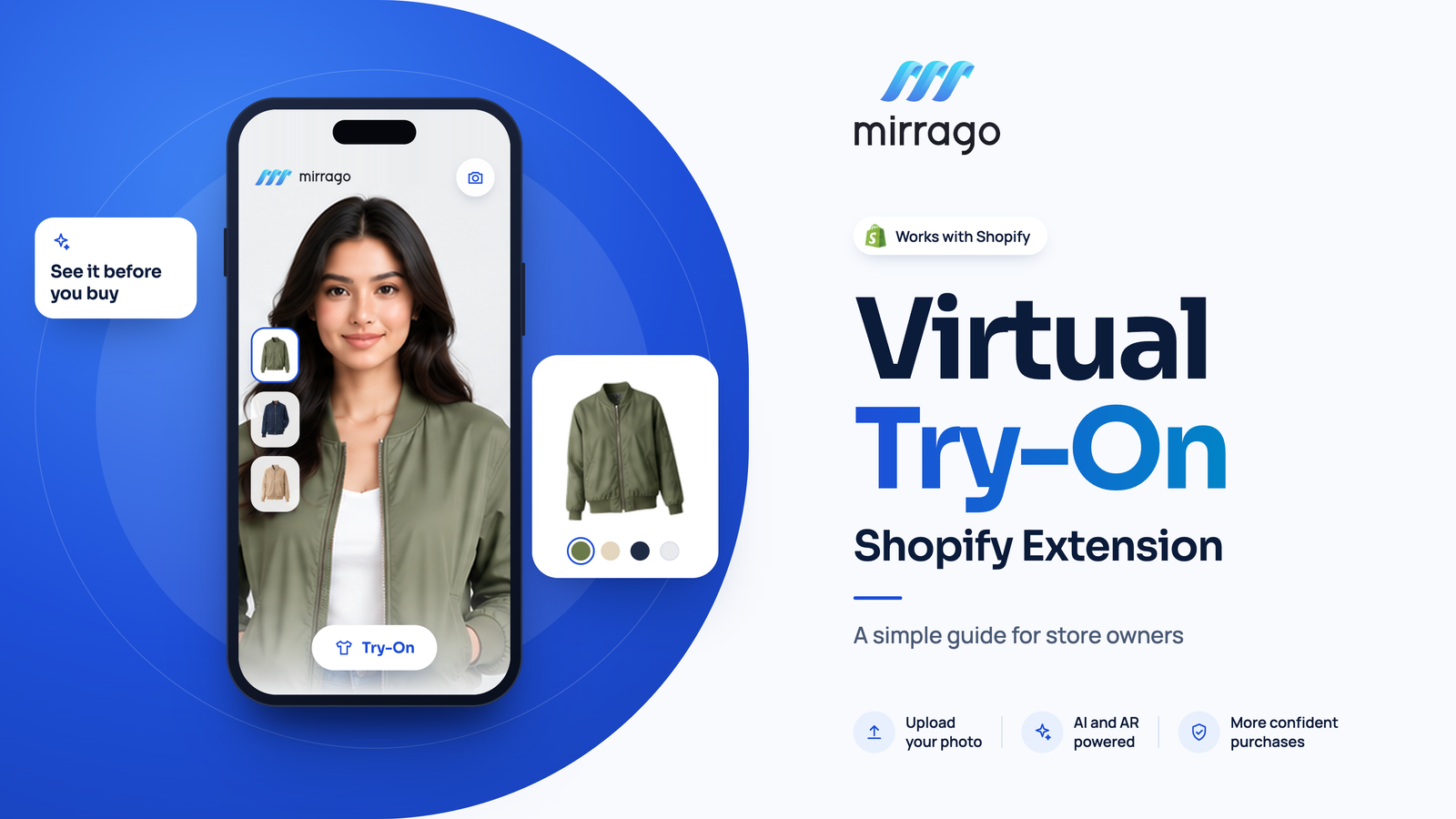
What Is a Virtual Try-On Shopify Extension? A Simple Guide for Store Owners
A shopper finds a jacket in your Shopify store. The photos look great, and the price feels right. But one question remains: “How will this look on me?”
When shoppers cannot picture themselves wearing a product, they may hesitate before buying. Product photos and size charts help, but they do not always give shoppers the personal view they need.
So, what is virtual try-on? It is a technology that lets shoppers preview how a product might look on them using their own photo or a supported camera feature.
In this guide, we’ll explain how virtual try-on for Shopify works, which products it suits, its benefits and limitations, and how to choose the right solution for your store.
What Is a Virtual Try-On Shopify Extension?
A virtual try-on Shopify app lets shoppers preview how a product might look on them directly from a product page. Depending on the tool, they can upload a photo and generate a personalized preview with just a few clicks. Imagine it's like a virtual fitting room in your store.
Unlike standard product photos, virtual try-on creates a personalized preview using a shopper’s photo and a supported product image. A size chart provides measurements, while virtual try-on helps shoppers visualize how a product might look on them. Together, they can give customers more information when deciding what to buy.
Virtual try-on works well for fashion and accessory stores, where shoppers care about look, drape, and style as much as size. Most extensions are easy to install and add a try-on button to your store’s theme
How Does Virtual Try-On Work on Shopify?
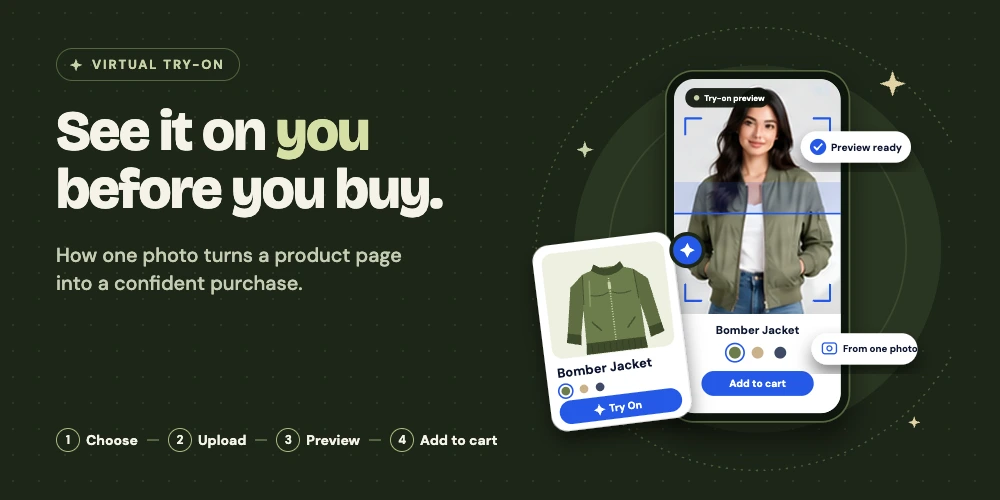
From the shopper’s side, the process takes about a minute.
1. Customers Choose a Product
The shopper opens a product page and clicks the try-on button, which sits near the add-to-cart area.
2. Customers Upload a Photo or Use Their Camera
Most photo-based tools ask for a clear picture of the shopper. Some tools also support a live camera view. What you get depends on the extension.
3. AI or AR Creates a Virtual Preview
AI tools generate an image of the product on the shopper’s photo. AR tools overlay a digital item onto a live camera feed. Both aim for a realistic preview.
4. Customers Review the Result and Continue Shopping
Shoppers review the preview, try other products if the feature supports it, and decide whether to add an item to their cart.
Imagine a shopper considering a bomber jacket. By uploading a photo, they can preview how its style and color might look on them before deciding whether to buy it.
Which Products Can Customers Try On Virtually?
Available product categories depend on the technology and provider. Check which products the app supports before installing it.
Clothing and Apparel
Clothing is a common use case for virtual try-on. Depending on the tool, shoppers may preview shirts, dresses, trousers, jackets, and complete outfits on their own photos to compare different styles.
Eyewear and Jewelry
Glasses, sunglasses, earrings, necklaces, and rings must be positioned properly on the face, neck, or hand. Some tools try to do this well; others focus only on clothing.
Bags, Watches, and Other Accessories
Depending on the provider, shoppers may also preview bags, watches, and shoes. Check the supported product categories before choosing a solution.
What Is the Difference Between AI Virtual Try-On and AR Try-On?
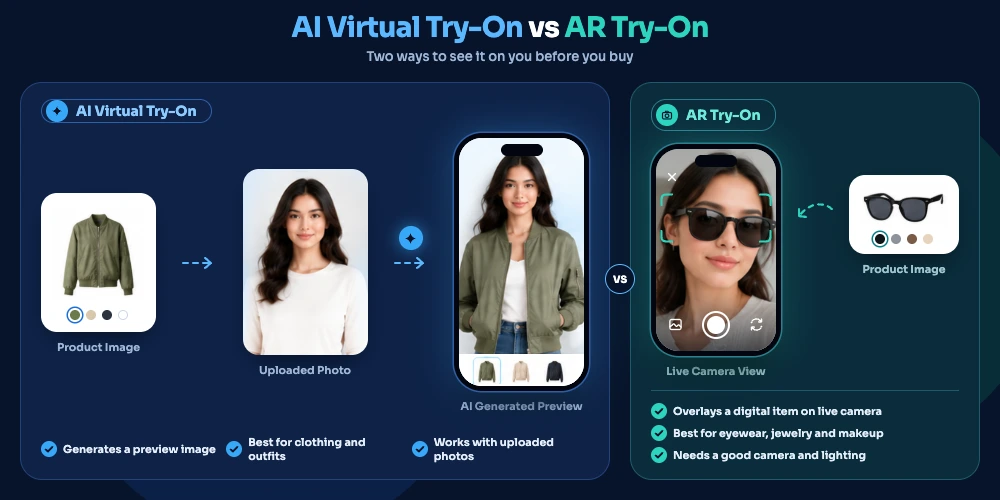
These two approaches often get mixed up, so here is the short version.
AI virtual try-on | AR virtual try-on | |
How it works | Generates a preview image from an uploaded photo | Overlays a digital item on a live camera view |
Typical use | Clothing and outfits | Eyewear, jewelry, makeup |
Keep in mind | Render time and image quality | Needs a good camera and lighting |
Some solutions combine both AI and AR. However, neither guarantees an exact physical fit. They show how a product may look on you, not how it fits your body measurements.
What Are the Benefits of Virtual Try-On for Shopify Stores?
The value shows up for shoppers and for you.
Help Customers Visualize Products
A personal preview adds context that standard photos cannot. Shoppers see the item on their own body, skin tone, and posture.
Create a More Interactive Shopping Experience
Users can experiment with various styles, make comparisons, and create outfits. Interactive previews can make product browsing more engaging and encourage shoppers to explore different styles.
Support More Confident Purchase Decisions
A true display of the merchandise makes people less hesitant to buy. Even though the descriptions and size information are important, do not forget to keep them correct.
Measure Customer Engagement
The good ones tell you what's happening. Some of the helpful numbers you could use are try-on interactions, product page engagement, add-to-cart activity, and the conversion rate.
Virtual try-on may support purchase decisions, but improvements in conversions or reductions in returns are not guaranteed
What Should You Know Before Adding Virtual Try-On to Shopify?
A good tool still has limits. Plan for these:
Visual accuracy: Previews may not capture every fabric, color, or texture detail perfectly.
Fit and sizing: A preview does not confirm measurements.
Product compatibility: Extensions support different categories.
Mobile experience: Most shoppers browse on phones, so test there first.
Privacy: Find out how customer photos are processed, stored, and deleted.
Store compatibility: Check theme support and any effect on page speed.
Virtual try-on helps shoppers see products on themselves and gives you another way to build buying confidence. The right choice depends on product fit, ease of use, preview quality, and privacy.
If you sell fashion or accessories, it is worth a small test. You can explore Mirrago capabilities and check its current Shopify availability on the Shopify App Store.
How Do You Choose the Right Virtual Try-On Shopify Extension?
Use this checklist when comparing tools for virtual try-on for Shopify:
Product support: Does it have product support for what you sell?
Technology: Will there be opportunities to choose AI or AR that will work via photos or camera?
Theme compatibility: Is it compatible with your theme and product pages?
Mobile usability: Test on various displays.
Privacy: Review image handling and retention policies.
Pricing: Compare plan costs, usage limits, and additional fees.
Performance and analytics: Check loading speed and available metrics.
Customer support: Look for clear documentation and responsive assistance.
Start small. Test the feature on a handful of products, watch how shoppers respond, then expand.
How Can Mirrago Help Shopify Store Owners Explore Virtual Try-On?
Mirrago is an AI fashion try-on app for e-commerce. It has its Shopify app listed on the Shopify App Store, which installs without code and enables you to add a try-on button using the theme editor. All plans offer a 14-day free trial, and Mirrago says that their renders are completed in under 20 seconds and their billing is processed through Shopify. It also says that shopper pictures will be erased after every session and will not be utilized to prepare the AI.
Mirrago will be showcasing apparel & activewear, workwear, luxury fashion, and eyewear products, among others. The plans, sizes, and equipment may vary from time to time; please verify if required prior to selection.
Read about the Mirrago Shopify extension and check its latest availability.
Conclusion: Is Virtual Try-On Right for Your Shopify Store?
Virtual try-on gives consumers a chance to “see” the product on themselves and offers yet another platform to help build confidence in buying. The best option is determined by product usage, usability, and preview and privacy.
If you sell fashion or accessories, consider testing virtual try-on with a small selection of products. You can see if Mirrago supports Shopify and find out what its current state of Shopify support is on the Shopify App Store.
If you're ready to add or expand virtual try-on in your store, Mirrago offers options for WooCommerce and Shopify
Frequently Asked Questions About Virtual Try-On for Shopify
1. What Is a Virtual Try-On Shopify Extension?
It is an app that lets shoppers preview a product on themselves, using their photo, directly on your product page.
2. Does Virtual Try-On Guarantee the Right Size or Fit?
No. A preview shows style and look. It does not measure the body, so keep your size charts and fit notes.
3. Can Virtual Try-On Work on Mobile Devices?
Usually yes, but it depends on the provider. Test the full flow on your own phone before launch.
4. Are Customer Photos Stored by Virtual Try-On Apps?
It varies. Read each provider’s privacy policy and ask how long images are kept and how they are deleted.
5. Can Virtual Try-On Support Clothing, Eyewear, and Jewelry?
Some tools cover all three, while others focus on clothing. Support depends on the technology and the provider.